AI Interior Design in 2026: Does It Actually Work? (Honest Review)
An honest look at AI interior design tools in 2026 — what they actually do, where they fall short, and when they're worth using. Real use cases, photo tips, and a frank comparison of approaches.
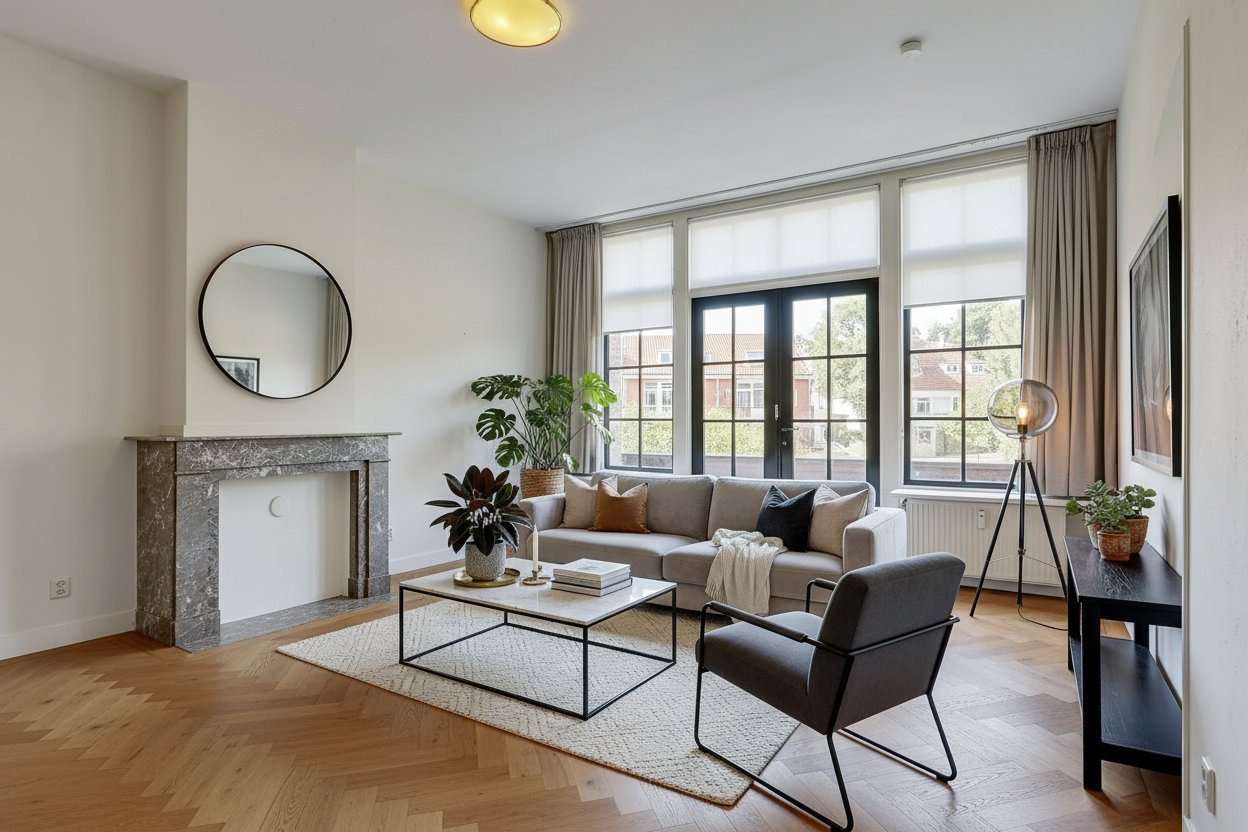
Let's be upfront about something. Most articles about AI interior design are written to sell you something. They show polished before-and-afters, rave about "revolutionary technology," and gloss over the parts where the AI does something weird with your ceiling.
This isn't that article.
We'll tell you exactly what AI interior design tools can and can't do in 2026, who they're genuinely useful for, and how to get results that are actually worth something. If you decide to try it at the end, great. If not, at least you'll know what you're walking away from.
What Problem Does AI Interior Design Actually Solve?
Before getting into the technology, it's worth asking: what were people doing before this existed?
The options were roughly:
- Scrolling Pinterest for hours, finding rooms that have nothing to do with your actual space
- Hiring an interior designer (expensive, time-consuming, often still results in rooms you didn't quite picture)
- Buying furniture and hoping for the best (expensive mistakes)
- Doing nothing and living with a room you're quietly dissatisfied with
The core problem isn't really about design knowledge. Most people have reasonable taste. The problem is visualization — the inability to picture what a space will look like before committing to it.
That's the specific problem AI interior design tools solve well. Not "what should I do with my room?" but "let me see what my room would look like if I did this."
If your problem is genuinely the first question — you have no idea what you want and need someone to guide you — AI tools are less helpful. But for the vast majority of people who have a vague sense of what they want and just need to see it made concrete, they work surprisingly well.
How Does the Technology Actually Work?
You don't need to understand the engineering to use these tools, but a basic grasp of what's happening helps you understand why results vary.
Two Fundamentally Different Approaches
There are two main categories of AI interior design tools, and they produce very different results.
Approach 1: Text-to-image generation
You describe a room ("minimalist bedroom with white walls, oak furniture, linen curtains") and the AI generates a photorealistic image. Tools like Midjourney and DALL-E work this way.
The output can be stunning. The problem is that it has nothing to do with your room. The AI is inventing a space based on patterns from millions of training images. It will generate beautiful results — just not results you can use as practical guidance for your actual walls, your actual floor, your actual light situation.
Approach 2: Image-to-image transformation
You upload a photo of your actual room. The AI analyzes what's there — the architecture, the windows, the floor, the proportions — and redesigns within that existing structure.
This is the more practically useful approach. The output is still your room. The same window is in the same place. The ceiling height is the same. The floor texture is preserved or replaced coherently. You're seeing a realistic version of what your actual space could look like, not a fantasy room with the same word attached to it.
RedomyRoom.ai uses image-to-image transformation. That's not marketing — it's the reason the results are actually usable as planning tools rather than just mood board material.
What the AI Is Actually Doing
When you upload a photo and select a style like "Japandi" or "Industrial," the AI does several things simultaneously:
- Structural analysis: It identifies floors, walls, ceilings, windows, and doors. These are preserved or treated consistently in the output.
- Perspective mapping: It understands the camera angle and depth of the room, so any furniture it adds sits convincingly in the space rather than floating oddly.
- Style application: It has been trained on thousands of images tagged with each style, so it understands what "Scandinavian" means in terms of furniture shapes, colors, materials, and spatial density.
- Coherence generation: It regenerates the image so the new furniture looks like it belongs — matching the light direction, casting appropriate shadows, using materials that interact with the room's color temperature.
The whole process takes about a minute. The bottleneck is actually the image generation time on the server side, not any particularly complex reasoning.
Where AI Interior Design Genuinely Shines
1. Quick Style Comparison on Your Actual Room
This is the single most valuable use case, and it's often underestimated.
Instead of asking "do I want Scandinavian or Japandi?" in the abstract — a question that's surprisingly hard to answer — you can see both applied to your actual living room in about two minutes. The answer becomes obvious in a way it never is from Pinterest boards.
People spend months in indecision about their interior because the decision feels abstract. Once you can see it concretely, the decision becomes much easier. This alone is worth the five minutes it takes to try.
2. Real Estate Staging — the Numbers Are Real
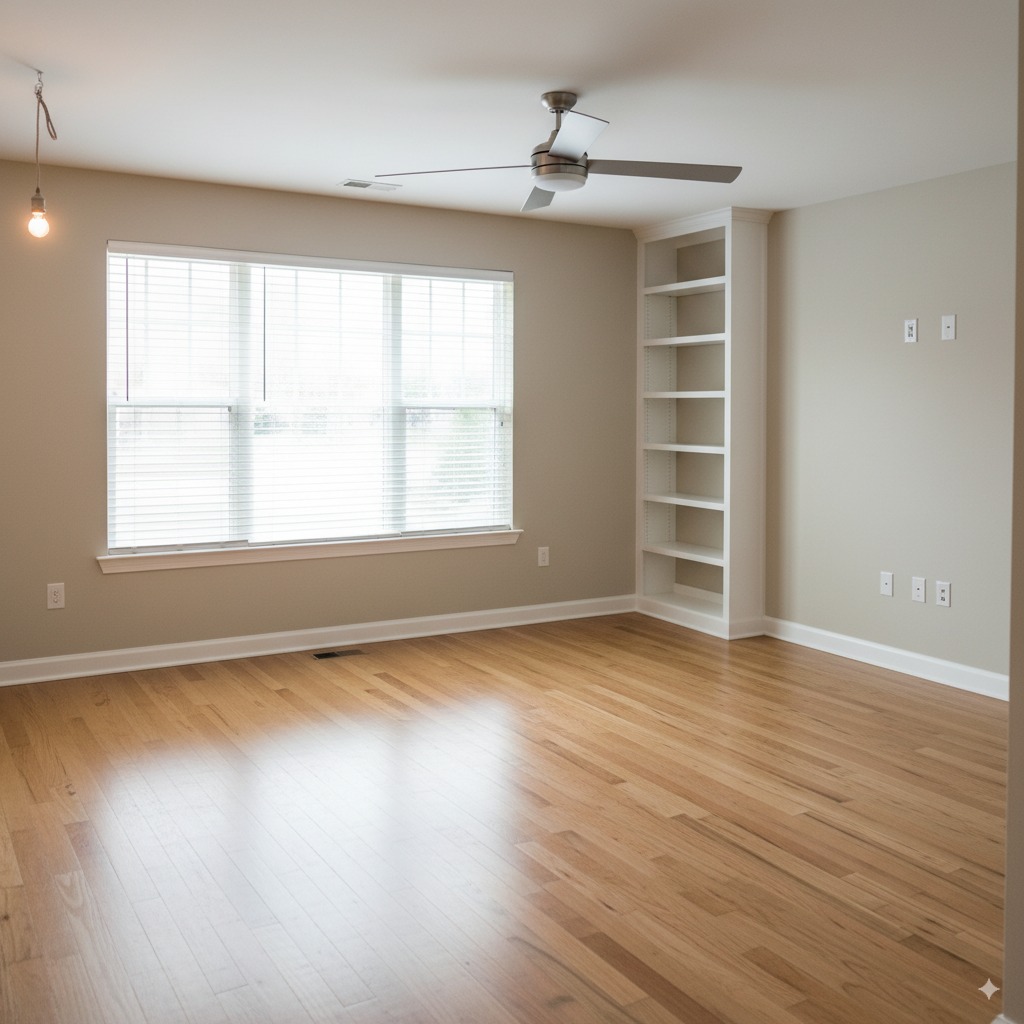
Empty rooms are a known problem in real estate. Buyers struggle to gauge scale in an empty room. They can't picture where the sofa goes, whether the bedroom fits a king bed, or whether the open-plan layout actually works for a family.
Studies consistently show staged homes sell faster and at higher prices than unstaged ones. The traditional solution — hiring a staging company to furnish the property — costs anywhere from €500 to several thousand euros per property and requires coordination and lead time.
Virtual staging via AI solves this at a fraction of the cost and in a fraction of the time. Upload photos of the empty property, generate a few staged versions in different styles, include both the staged and original photos in the listing (you should always disclose virtual staging), and you've significantly improved your listing without renting a single piece of furniture.
For real estate agents handling multiple listings, this is not a gimmick — it's a workflow change that affects the bottom line.
3. Getting a Shared Vision Before Starting a Project
"I want a cozy, modern, not-too-dark bedroom" means something very specific to you and something completely different to your partner, your interior designer, or the carpenter you're briefing.
AI visualizations create a shared reference point. Instead of trying to communicate an aesthetic in words, you show a generated image and say "like this, but with our existing floor." Suddenly everyone is aligned. This sounds minor but it prevents enormous amounts of rework and disappointment.
4. Checking a Specific Decision Before Committing
You've found a sofa you like. You're not sure if the color works with your floor. Rather than just hoping for the best or going back to the shop three times, upload a photo of your room and generate a version with a similar style applied. It won't show you the exact sofa, but it will show you how furniture in that approximate color and style reads in your specific room with your specific light.
5. Preparing a Rental or Property for Letting
For landlords, there's a practical application in showing prospective tenants what a furnished version of a property looks like. Empty apartments are hard to photograph attractively. A few AI-generated images of the space furnished in an appealing style makes listings significantly more appealing.
Where AI Interior Design Falls Short
Being honest about limitations isn't just fairness — it helps you use the tools correctly and avoid frustration.
It Can't Buy the Furniture for You
The output of an AI interior design tool is an image. Not a shopping list. Not links to specific products. Not dimensions.
The generated room might show a sofa that looks perfect in your space. But that sofa doesn't exist as a specific purchasable item — it's a composite invented by the AI based on training data. You'll need to use the image as inspiration and find real-world equivalents yourself.
Some tools are starting to add product matching features, but they're imprecise and typically limited to specific retailer catalogues. Treat any generated image as a direction, not a blueprint.
Results Vary With Photo Quality
The AI is working with the information in your photo. A dark, blurry photo taken at a bad angle will produce a poor result not because the AI is bad, but because it doesn't have good information to work with.
We'll cover photo tips in detail below, but this is a real limitation: if you can't take a decent photo of your room, the results will be disappointing.
It Can't Account for Real-World Constraints
The AI doesn't know that your sofa won't fit through the door. It doesn't know there's a radiator under that window that prevents placing furniture there. It doesn't know your ceiling is lower than it appears in the photo because of the wide-angle lens.
Generated images can show furniture placements that look good but are physically impossible in your actual space. Treat any generated image as a starting point that still requires sanity-checking against physical reality.
Style Consistency Varies
When you generate multiple rooms in the same style, they won't automatically be coherent with each other. The bedroom might lean toward one interpretation of "Japandi" and the living room toward another. If you're planning an entire home, you'll need to manually curate the results for consistency.
It Doesn't Understand Your Personal Taste
You select a style category — "Scandinavian," "Industrial," "Japandi" — and the AI applies a generalized version of that style. It doesn't know that you love wood but hate visible grain, or that you like the minimalism of Japandi but want warmer tones than typical examples.
The results are good approximations of the style category, not tailored expressions of your personal taste. Use them as starting points and expect to iterate, either by trying different styles or by using the results as inspiration for your own choices.
How to Get Good Results: Photo Tips
This section is practical. The single most impactful thing you can do to improve AI interior design results is to take a better photo.
Lighting: The Most Important Factor
Use natural daylight whenever possible. Shoot during the day with blinds or curtains open. Artificial lighting creates uneven color casts that confuse the AI's color matching and produce odd-looking results.
Avoid flash. Flash creates harsh shadows and washes out textures. The AI will generate furniture that looks inconsistent with flash-lit environments.
Turn on all room lights. Even with daylight, having all lights on creates a more even illumination across the room and reduces dark corners that the AI can't interpret properly.
Avoid strong backlight. If the window is directly behind where you're shooting, the AI will struggle with the exposure difference between the bright window and the darker room. Try shooting with the window to the side rather than behind your subject.
Angle and Framing
Shoot from a corner. Corner shots capture the maximum amount of the room in a single frame, give the AI more architectural information to work with, and produce the most convincing perspective in the output.
Keep the camera at roughly chest height. This produces the most natural perspective. Shooting from too low (floor level) or too high (standing on a chair) creates distorted perspectives that can confuse the AI.
Include architectural features. Windows, door frames, and distinctive ceiling features help the AI understand the room's structure. Don't crop these out unless necessary.
Landscape orientation. Horizontal photos give the AI a better canvas to work with than portrait orientation. Almost all well-composed interior photos are landscape.
Pull back as far as you can. More room in the frame is almost always better. A wide shot gives the AI more to work with and produces more impressive transformations.
Room Preparation
Clear the clutter. Personal items, toys, cables, and random objects create noise that the AI has to work around. A cleared room produces cleaner results.
Remove temporary items. Laundry, dishes, piles of paperwork — anything that's not part of the room's permanent layout should be removed or moved out of frame.
Open blinds and curtains. Even if it creates some backlight, visible windows help the AI understand the room's scale and light direction.
What to Expect From a Good Photo
With a good landscape photo taken from a corner in good natural light with the room cleared, AI tools should produce results that are:
- Proportionally accurate to your actual room
- Coherent in lighting (furniture shadows match the existing light direction)
- Architecturally consistent (floors, walls, and ceilings preserved correctly)
- Usable as practical planning reference
With a poor photo, results may show furniture floating at wrong angles, colors that look off in the room's actual light, or structural inconsistencies.
Comparing the Main Approaches
For completeness, here's how the main categories of AI interior design tools compare:
| Approach | What it does | Strengths | Weaknesses | Best for |
|---|---|---|---|---|
| Text-to-image (Midjourney, DALL-E) | Generates entirely new room images from description | Beautiful results, highly creative | Has nothing to do with your actual room | Mood boarding, creative inspiration |
| Image-to-image transformation (RedomyRoom.ai) | Redesigns your uploaded room photo | Results apply to your actual space | Quality depends on input photo quality | Practical planning, real estate staging |
| 3D modelling software (SketchUp, etc.) | Build precise 3D room models | Exact dimensions, product placement | Steep learning curve, time-consuming | Architects, serious renovators |
| AI chatbots with design advice | Text-based design guidance | Accessible, conversational | No visual output | Early brainstorming, general advice |
For most homeowners and real estate agents, image-to-image transformation is the sweet spot: visual results that are actually grounded in your real space, accessible without any specialist skills, and fast enough to try multiple options in a single session.
Real Use Cases Worth Knowing About
The Undecided Homeowner
You've lived in your apartment for three years. The living room has never quite felt right but you haven't been able to commit to changing it because you don't know what you'd change it to.
Upload the photo. Try Scandinavian. Try Japandi. Try Industrial. In ten minutes you've seen your actual room in six configurations. One of them is clearly right. Suddenly you have direction.
The Agent Handling an Empty Property
You have a vacant three-bedroom property. Taking standard empty room photos is free, but they perform terribly in listings. Professional staging costs €2,000 and takes a week. AI virtual staging costs about €15 for the whole property and takes 20 minutes. The staged images go in the listing, the unstaged images are available on request (or shown in person), and your listing looks like properties that cost much more to prepare.
The Couple Who Can't Agree
One of you wants Scandinavian minimalism. The other wants Bohemian warmth. This argument has been going on since you moved in.
Generate both applied to your actual room. See which one actually looks better in your specific space, with your specific floor and light. Often the argument resolves itself when both people can see the real options rather than arguing from abstract preference.
The Renovation Preview
You're considering a significant renovation — opening a wall, changing the floor, repainting. Before committing, you want to see what it might look like.
AI tools can't perfectly simulate structural changes, but they can give you a strong indication of the direction. A Modern style applied to your room before a renovation can help confirm that the aesthetic you're aiming for will actually work with your space's proportions and light.
The Realistic Expectation
Here's the summary of what AI interior design tools can reasonably deliver in 2026:
You will get: A photorealistic visualization of your actual room in a chosen style, produced in about a minute, that's good enough to use as planning reference and good enough to show clients, partners, or buyers.
You won't get: A precise shopping list, a guarantee that furniture will fit, a complete personalized design service, or consistent results regardless of input photo quality.
The honest verdict: For the specific problem of visualization — seeing what your room could look like before committing to it — these tools work. They work well enough that most people who try them find them genuinely useful. They're not a replacement for professional interior design for complex projects, but for the everyday question of "what would this look like?" they've become a genuinely practical answer.
Frequently Asked Questions
Does the AI keep my existing furniture?
Most image-to-image tools will replace or restyle furniture as part of the transformation. Some allow you to specify elements to preserve, but this varies by tool. RedomyRoom.ai applies a full style transformation — this produces the most coherent results but means your existing furniture won't be visible in the output.
Are the results photorealistic?
Usually yes, to the point where most people looking at the image can't immediately tell it's AI-generated. Look critically and you'll sometimes spot inconsistencies — a shadow that falls slightly wrong, a material texture that doesn't quite match — but for planning purposes and real estate marketing, the quality is more than sufficient.
Can I use the results for real estate listings?
Yes, but you should disclose that the images are AI-generated/virtually staged. Most real estate platforms require this. It's also simply good practice — buyers should know what they're looking at.
How many styles are available?
RedomyRoom.ai offers Scandinavian, Modern, Industrial, Japandi, Bohemian, Countryside, and Classic. Most projects are well-served by two or three of these, and trying multiple styles on the same room is one of the most useful things you can do.
What does it cost?
You can test it with one free watermarked preview after signing in. Unlock that exact result for €1.99, or buy a bundle if you need several images.
Try It Yourself
The honest way to evaluate any tool is to test it on your own situation.
Try AI interior design on your room — free →
Upload a photo. Choose a style. You'll have results in under a minute. If the output isn't useful for your situation, you've lost 60 seconds. If it is, you've got a starting point that would have taken hours to find any other way.
An account is required so the preview and any payment remain tied to the correct user. One exact full-resolution result costs €1.99 to unlock; bundles are available for multiple images.
This guide was written by the RedomyRoom.ai team. We process thousands of AI-generated interior designs each month and have tried to give you the honest version of what we see work and what doesn't.