Best Free Virtual Staging Tools in 2026 (Actually Tested)
A practical comparison of free virtual staging tools in 2026 — tested and rated for real estate agents and homeowners. Find out which tools are worth your time before spending anything.
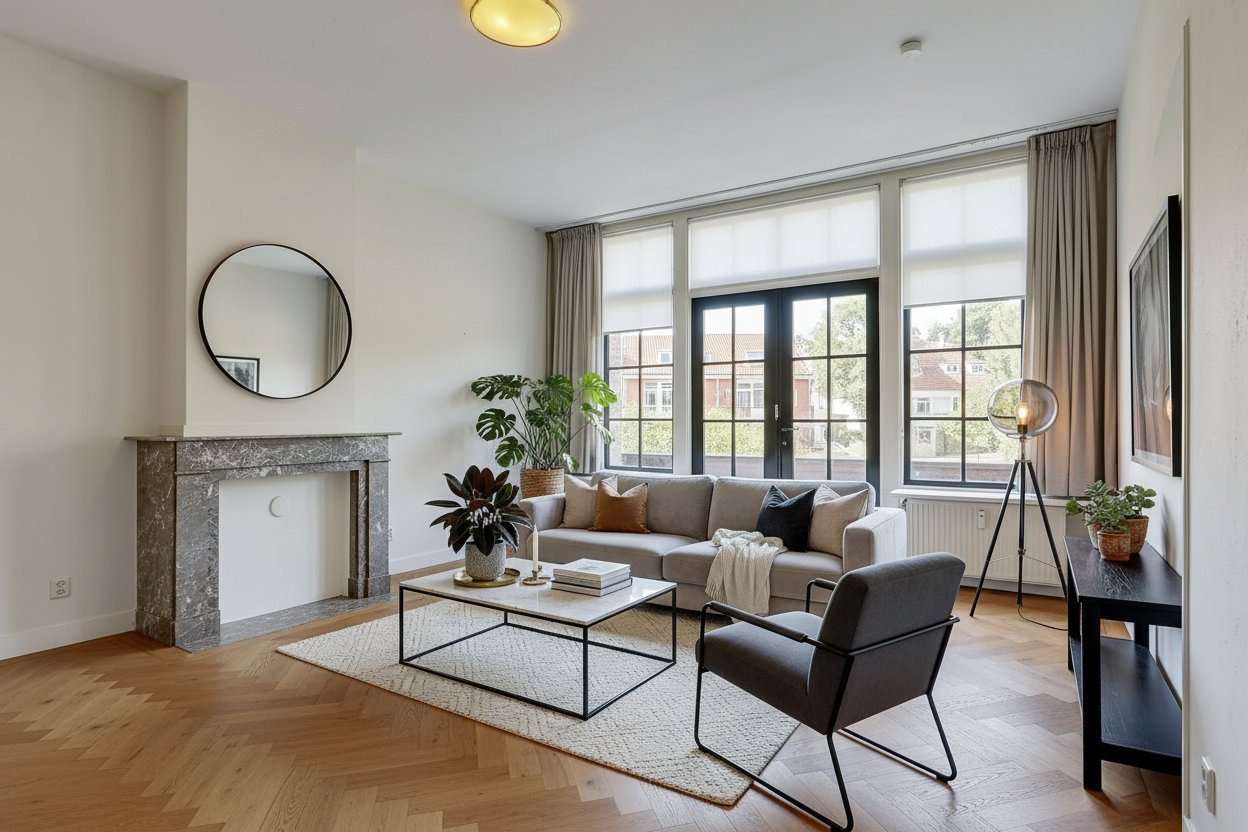
Virtual staging has gone from a niche agency service to something almost every real estate agent and serious homeowner has heard of. The pitch is simple: instead of spending thousands on physical staging, you use software to digitally furnish a room photo. The result looks staged. The cost is a fraction.
The problem is that "free" means very different things depending on the tool. Some are genuinely free to start. Some have free tiers that are so limited they're barely usable. Some require professional-grade skills to get anything useful out of them. And some are simply photo editing tools dressed up as "staging" that won't fool anyone.
This guide covers what's actually available in 2026, what each approach genuinely delivers, and which option makes the most sense for your situation — whether you're an agent staging listings or a homeowner trying to plan a room redesign.
Why "Free to Start" Matters Before You Commit
The traditional staging calculation is straightforward. Physical staging for a single property costs somewhere between €500 and €5,000 depending on size and market. That's a fixed cost you pay before you know how the listing performs.
Virtual staging, in theory, changes this economics entirely. But "in theory" is doing a lot of work in that sentence. Because if you spend several hours learning software, or pay for a subscription to a tool that turns out not to work for your photos, or produce results that look uncanny and actually hurt your listing, you haven't saved anything.
Testing before committing isn't just about saving money. It's about understanding what you're getting into. The way a tool handles your specific room — your specific lighting, your floor, your architecture — tells you something that no amount of sample images on a product page can tell you.
This is why the quality of the free tier matters, not just whether one exists. A tool with a meaningless free tier (one image, heavily watermarked, limited resolution) tells you almost nothing about whether the tool will work for your use case. A tool that lets you process several real images for free tells you a lot.
The Four Approaches to Virtual Staging
There are four meaningfully different approaches to virtual staging available in 2026. They have different costs, skill requirements, and output quality. Understanding what each one actually is helps you make a realistic choice.
Approach 1: AI Upload-and-Transform Tools
How it works: You upload a photo of your room. The AI analyzes the existing space — architecture, lighting, proportions — and generates a redesigned version with new furniture and decor applied. No manual editing required.
Representative tool: RedomyRoom.ai
Free tier: 5 preview credits on signup — enough to properly evaluate the tool on real photos.
Speed: Results in about a minute per image.
Skill required: None. Upload, select style, wait.
This is the category that has changed most dramatically in the last few years. Early AI staging tools produced results that were visually impressive but practically useless — proportions were wrong, furniture floated, lighting was incoherent. In 2026, the best tools in this category produce results that are good enough for real estate listings and professional use.
The key quality differentiator in this category is whether the tool uses image-to-image transformation (working from your actual uploaded photo, preserving the room's architecture) versus text-to-image generation (inventing a new room that vaguely matches a description). For practical staging purposes, image-to-image tools produce results that are actually grounded in the real space. Text-to-image tools produce beautiful images of rooms that have nothing to do with your property.
Best for: Real estate agents who need to turn around listing photos quickly, homeowners who want to visualize room changes without any technical skill, anyone who needs staging results without a learning curve.
Approach 2: DIY 3D Modelling and Rendering Tools
How it works: You build a 3D model of your room from scratch, furnish it digitally with precisely placed objects, and render photorealistic images from the model.
Representative tools: SketchUp, RoomSketcher, Autodesk Homestyler, Planner 5D
"Free" tier reality: Most offer a limited free tier, but anything resembling professional output requires a paid plan. RoomSketcher's free plan, for example, produces low-resolution images with branding. SketchUp's web version is free but has limited rendering quality.
Speed: Significant. Building an accurate 3D room model typically takes several hours for someone with no prior experience. Rendering a single image takes additional time.
Skill required: High. You need to accurately measure your room, understand how 3D modelling works, know how to source and place 3D furniture models, and understand rendering settings to get photorealistic output.
The honest picture: 3D modelling tools are powerful and the output, when done well, is excellent. But "done well" requires either substantial prior experience or a significant time investment in learning. For most real estate agents and homeowners, this approach makes no practical sense.
The "free" label is also misleading. The tool may have a free tier, but the time cost is considerable. If you value your time at any reasonable rate, spending 10 hours learning 3D modelling software to stage one property is not a cost-effective choice compared to AI tools or even professional staging services.
These tools have a genuine audience: architects, interior designers, and serious renovation planners who need precise spatial planning and are willing to invest in the skill. That's a reasonable niche. It's just not the audience of most people searching for "free virtual staging."
Best for: Professionals with existing 3D modelling skills, major renovation projects that require precise spatial planning, anyone who needs exact furniture dimensions confirmed in a virtual environment.
Approach 3: General Image Editors and Canva-Type Tools
How it works: You use a photo editing tool to manually add furniture PNG cutouts, adjust layers, apply filters, and attempt to create a "staged" look from scratch.
Representative tools: Canva, Adobe Express, GIMP, even basic Photoshop
Free tier: Generally free or very low cost.
Speed: Highly variable, but producing a convincing result takes significant skill and time.
Skill required: High for convincing results, moderate for results that look obviously edited.
The honest picture: General photo editors are not virtual staging tools. They're tools that technically allow you to add images of furniture to room photos, in the same way that a kitchen knife technically allows you to perform surgery.
What you produce with Canva or a basic image editor will not fool a buyer for a second. The perspective will be wrong. The shadows won't match. The scale will be off. The furniture will look like it was pasted onto the image because it was. Professional virtual staging requires either AI-generated coherence (as in the AI tools above) or skilled 3D rendering — not layer-based image compositing.
There are professional photo editors who specialize in virtual staging and can produce convincing results using advanced compositing techniques, but this is a specialized professional skill that takes years to develop. For anyone without this background, this approach produces results that reflect poorly on a listing.
Best for: Creating simple collages or mood boards for personal planning. Not suitable for real estate listings or any professional presentation.
Approach 4: Professional Agency Free Trials
How it works: You submit photos to a professional virtual staging service and receive staged images, typically produced by a combination of 3D artists and AI tools.
Representative services: Virtual Staging Solutions, Stuccco, Apply Design, Spotless Agency
"Free" tier: Most offer one or two complimentary images as a trial. Some offer a money-back guarantee rather than a true free tier.
Speed: Usually 24-48 hours turnaround. Some offer faster options at premium pricing.
Skill required: None on your end — you submit photos and receive results.
Output quality: Generally high. These services have developed workflows and quality control processes that produce consistently good results.
The honest picture: Agency services produce the most consistently high-quality results and require the least effort on your part. They're also the most expensive ongoing option (typically €15-50 per image) and the free trial is designed to demonstrate quality, not to provide an ongoing free workflow.
The watermarking on trial images is also typically prominent enough to make them unusable for actual listings. So while you can evaluate quality through a free trial, you'll be paying for anything you actually use.
For high-value properties or when consistent quality is critical, agency services make sense economically. For a typical three-bedroom listing where you need 5-6 staged images, the cost adds up quickly compared to AI tools.
Best for: High-value properties where quality consistency is critical, agents who need guaranteed results without any involvement in the staging process, single high-stakes listings where cost is secondary to output quality.
Comparison Table
| Tool / Approach | Free Tier | Speed | Output Quality | Skill Required | Best For |
|---|---|---|---|---|---|
| RedomyRoom.ai (AI) | 1 watermarked preview | ~1 minute | High | None | Agents, homeowners, quick turnaround |
| SketchUp / 3D tools | Limited, low quality | Hours-days | Very high (if skilled) | High | Architects, renovation planners |
| Canva / image editors | Free | Fast but poor | Low (looks edited) | Low-Medium | Mood boards only |
| Agency services (Stuccco, etc.) | 1-2 trial images | 24-48 hours | Very high | None | High-value single listings |
Honest Assessment: What to Use in 2026
If you're a real estate agent staging multiple listings
AI upload-and-transform tools are the practical answer. The economics are clear: you can stage an entire property for €15-30, you don't need any specialist skills, and you can do it yourself without waiting 48 hours for an agency turnaround.
The free tier on tools like RedomyRoom.ai gives you enough credits to properly evaluate whether the tool works for your specific property photos. Try it on a representative room from your current listings before deciding whether to invest in credits.
The one caveat: AI tools still require a decent input photo. If your photographer is producing poorly lit, poorly composed images, the AI output will reflect that. More on this below.
If you're a homeowner planning a room redesign
AI tools work here too, but for a different reason. You're not trying to impress buyers — you're trying to see what your room could look like in a different style before committing to furniture purchases or renovation work.
For this use case, the free preview tier is often all you need. Generate a few styled versions of your room, identify the direction that feels right, and use those images as planning reference. If you want a full-resolution export to show a partner, a designer, or a builder, the export cost is minimal.
If you're managing a high-value single property
Consider combining approaches: use an AI tool for initial exploration and quick iterations, then use a professional agency service for the final hero images that will appear in the listing. You get the best of both — fast, low-cost exploration plus professionally assured final images.
If you're an architect or serious renovation planner
3D modelling tools are the right answer despite the learning curve, because precision matters to you in ways it doesn't for most staging use cases. You need to know whether a specific sofa physically fits in a space, not just whether a sofa-shaped object looks approximately right in a photo.
Deep Dive: Using Free AI Tools Effectively
Since AI upload-and-transform tools are the most accessible and most relevant for the majority of people reading this, here's a more detailed guide to getting good results.
Understanding the Style Options
RedomyRoom.ai offers seven styles: Scandinavian, Modern, Industrial, Japandi, Bohemian, Countryside, and Classic.
These aren't arbitrary categories. Each one represents a coherent aesthetic that has been trained on thousands of tagged interior design images. When you select "Japandi," the AI applies a specific visual language — clean lines, natural materials, muted earth tones, low furniture profiles, absence of decorative clutter.
For real estate, matching style to buyer profile matters. A Scandinavian or Modern transformation appeals broadly, especially for urban apartments and properties targeting young professionals. Countryside or Classic transformations work better for older properties in rural or suburban settings where buyers expect warmth and traditional character.
For homeowners, the most useful approach is to generate the same room in several styles and see which one feels most like what you've been trying to articulate. Often the answer is immediately obvious when you see it applied to your actual room.
The Credit System Explained
Free previews include a watermark and may be limited in resolution. Paid exports are full resolution and watermark-free.
For real estate listings, you need paid exports. For personal planning, free previews are usually sufficient to answer your core questions.
The free preview on signup lets you evaluate whether the tool works for a representative room. Choose a clear, well-lit photo similar to the images you expect to process regularly, then use the free refinement if one specific detail needs correction.
Getting Good Results From Free Tools: Photo Quality Guide
This section applies to all AI-based virtual staging tools, not just one. The single factor that most determines output quality is input photo quality. Here's how to maximize it.
Lighting: The Foundation
Natural light over artificial. Shoot during daylight hours with window blinds open. Artificial lighting, especially yellow incandescent lighting, creates color casts that confuse AI color matching and produce furniture that looks tonally inconsistent with the room.
All lights on anyway. Even with natural light, turn on every light in the room. This fills in shadows and produces more even illumination, giving the AI more information to work with.
Avoid harsh backlight. When a bright window is directly behind your subject, the contrast between window and room makes accurate color interpretation very difficult. Position yourself so windows are to the side rather than directly behind the room.
Cloudy days are often better than bright sun. Direct sunlight creates strong shadow patterns that can interfere with AI furniture placement. Overcast light is flat and even — easier for AI to work with.
Composition: What to Include
Shoot from a corner. This is the most important compositional tip. Corner shots show the maximum amount of room in a single frame and give the AI the clearest architectural context — both walls, ceiling, and floor visible simultaneously.
Camera at chest height. This matches how the eye naturally sees a room. Too low creates distorted perspective; too high makes the room look like a floor plan.
Landscape orientation. Interior photography almost always works better in landscape. The AI produces more spatially coherent results with wider framing.
Include the floor. Don't cut off the floor in the frame. The AI needs floor information to correctly place and shadow furniture.
Include windows when possible. Windows give the AI critical information about natural light direction, which it uses to apply coherent shadows to generated furniture.
Room Preparation
Clear personal items. Toys, papers, clothing, appliances left on counters — remove them. The AI handles cleared spaces better than cluttered ones, and the output looks more professional.
Remove temporary furniture. If you have a folding chair or a box serving as a temporary table, remove it. The AI may interpret it as a permanent architectural element.
Clean floors. Dusty or marked floors appear in the output. They're harder for the AI to mask convincingly than a clean floor.
Open all curtains and blinds. Maximum natural light, plus visible window frames that give the AI architectural context.
Resolution and File Requirements
Most AI tools specify minimum image sizes. Generally, for useful staging output:
- Minimum 1920x1080px recommended
- For real estate listing quality, 2160x1440px or higher
- JPG or JPEG format typically preferred
- Avoid heavily compressed images
If you're using a smartphone, shoot in the highest quality mode available. Modern smartphones produce images that are more than sufficient.
Common Mistakes That Produce Poor Results
Using the wrong style for the space
Applying a heavily industrial aesthetic to a cottage-style property produces a jarring result that serves no one. Match the style to the property's architecture and the likely buyer profile. When in doubt, Scandinavian and Modern tend to be the most universally appealing.
Uploading cluttered room photos
The AI is transforming what it sees. Significant clutter creates an uncertain starting point and the output reflects that uncertainty. Five minutes clearing a room before shooting saves significant frustration.
Expecting precision from a visualization tool
AI staging shows you how a style looks in your space. It doesn't tell you whether specific furniture will fit, what exact products to buy, or whether a layout is structurally feasible. Use the output as directional reference, not as a precise specification.
Generating only one style
The real value emerges from comparison. Generate the same room in three or four different styles. The contrast between them is often more informative than any single result. Which one makes the room look the most like what you want? That's your answer.
Ignoring the disclosure requirement
For real estate listings, always label AI-generated or virtually staged images clearly. Most platforms require this. It's also ethical — buyers have a right to know. The disclosure doesn't reduce the effectiveness of the images; most buyers understand and appreciate staged imagery when clearly labeled.
Price Comparison Across Approaches
To be concrete about the economics:
| Approach | Cost per image | Time investment | Ongoing cost |
|---|---|---|---|
| Physical staging (professional) | €100-500 per room | 1-3 days coordination | Monthly rental |
| AI tools (RedomyRoom.ai) | Free for previews, ~€5 per export | Minutes | Per-use |
| 3D modelling (self-service) | Tool cost €0-50/month | Hours per room | Learning curve |
| Agency virtual staging | €20-50 per image | 24-48h per order | Per-image |
| Photo editing (DIY) | €0 | Hours, poor quality | Not suitable for professional use |
For a typical 3-bedroom listing requiring 5 staged images:
- Physical staging: €2,000-5,000+
- AI tool: approximately €25 (5 exports)
- Agency service: approximately €100-250
The AI tool approach is not just cheaper. It's faster, allows unlimited experimentation, and can be done by the agent or homeowner without specialist involvement.
How to Evaluate Any Free Virtual Staging Tool
When testing any tool with its free tier, here's what to actually check:
Does it preserve your room's architecture? The walls, floor, windows, and ceiling of your actual room should be recognizable in the output. If they're not — if the tool has generated a generic room that just vaguely resembles yours — the output is useless for planning or staging.
Is the perspective coherent? Furniture in the generated image should sit on the floor naturally, with shadows that match the light direction in your original photo.
Are the proportions plausible? A generated sofa should look like it could actually fit in the space shown. Grotesquely oversized or undersized furniture indicates the AI hasn't correctly analyzed the room's spatial dimensions.
Does the style actually look like the selected style? If you select "Scandinavian" and get something that looks like generic beige-furniture, the style training is weak. Good tools produce immediately recognizable style interpretations.
Is the watermark on free previews tolerable? For evaluation purposes, watermarked previews are fine. But check whether the free tier gives you enough images to genuinely evaluate the tool, or whether it's designed to show you one impressive result and immediately push you to pay.
Start With the Free Tier
If you haven't tried AI virtual staging yet, the free tier on RedomyRoom.ai is the fastest way to find out whether it's useful for your situation.
Try virtual staging free — 5 preview credits included →
Upload a photo of a room you want to stage or redesign. You'll have results in about a minute. That's enough time to know whether the technology is useful for your use case — before spending anything.
For homeowners: start with the room you're most uncertain about. The style comparison is often the most valuable thing you'll get from the free previews.
For real estate agents: test it on a property photo that represents your typical listing quality. If it handles your standard photos well, it'll work across your portfolio.
Summary
Best overall for most users: AI upload-and-transform tools (RedomyRoom.ai). Fastest, lowest skill requirement, free to evaluate properly, practical costs for ongoing use.
Best for precision and control: 3D modelling tools (SketchUp, RoomSketcher) — but only if you have existing skills or time to develop them.
Best for high-stakes single listings: Professional agency services combined with AI tools for preliminary exploration.
Not recommended for professional staging: General photo editors (Canva, etc.) — the output quality isn't convincing.
The right tool depends on your situation. But for the majority of real estate agents and homeowners who want to evaluate virtual staging quickly and at low cost, AI tools have reached a quality level in 2026 where they're a genuinely practical first choice.
This comparison was last updated in May 2026. Pricing and features are accurate at time of writing but may change. Free tier details verified through direct testing.